Download and set the project
Run the project locally
Clone the project from: project repo.
WARNING
Do not install Flutter to a directory or path that meets any of the following conditions:
The path contains special characters or spaces.
The path requires elevated privileges.
As an example,
C:\Program Files\,~/dev/我的專案/fails the condition(s) listed above.Open the project with your IDE.
Run the following command to get project's dependency packages:bashflutter pub getWARNING
The project uses Flutter 3.47.6 (Dart 3.13.5). The version is recorded in
.fvmrcat the project root.
Runflutter --versionfirst to check your version.flutter pub getfails if your version is lower than 3.47.If you use FVM, run the following commands to install the project's version. Then run every later command with
fvm flutterorfvm dart:bashfvm install fvm flutter pub getRun the following command to generate additional dart code:
bashdart run build_runner buildTIP
build_runner replaces existing generated files (
xxx.g.dart) automatically. You do not need any extra option.Run the process.
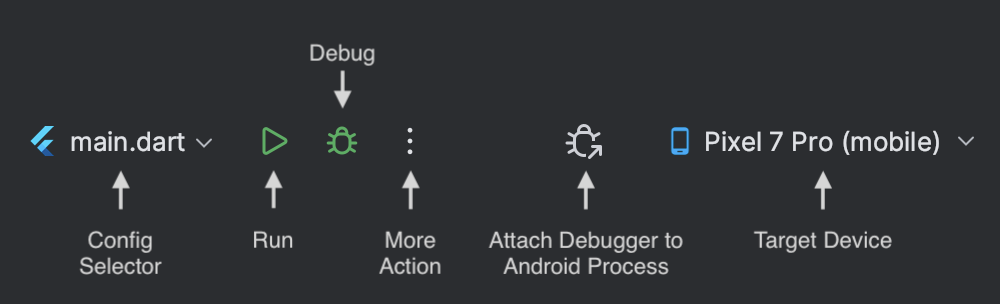
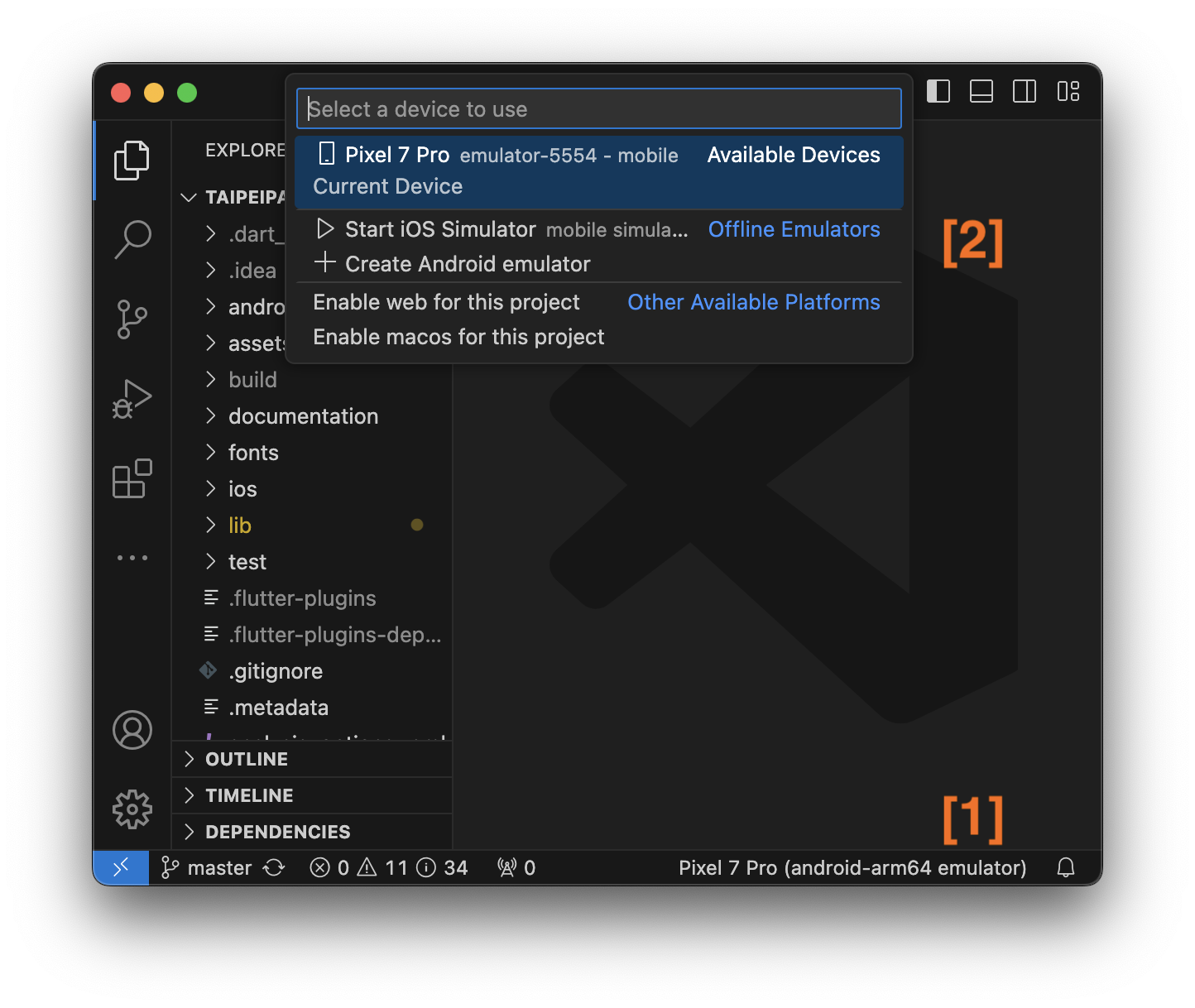
TIP
Flutter offers a fast development cycle with Stateful Hot Reload, the ability to reload the code of a live running app without restarting or losing app state.
For more info about Hot Reload: Official Document.